Precision Meets Speed: Transformative Updates to Drawing and Page Management at Civiltakeoff.ai
Civiltakeoff.ai has deployed major performance upgrades to its core drawing engine and introduced powerful new Page Management tools, enabling engineers to handle the largest plans with speed and precision.
Unleashing Drawing Performance and Precision at Civiltakeoff.ai
In civil construction takeoff software, drawing is the core action—everything begins with it. That’s why we’ve invested heavily in optimizing the drawing engine, elevating both performance and precision to meet the demands of today’s civil professionals.
Lightning-Fast Drawing Performance
We rebuilt our rendering engine from the ground up, delivering a smoother, faster, and more responsive experience. This leads to tangible improvements the moment you begin annotating.
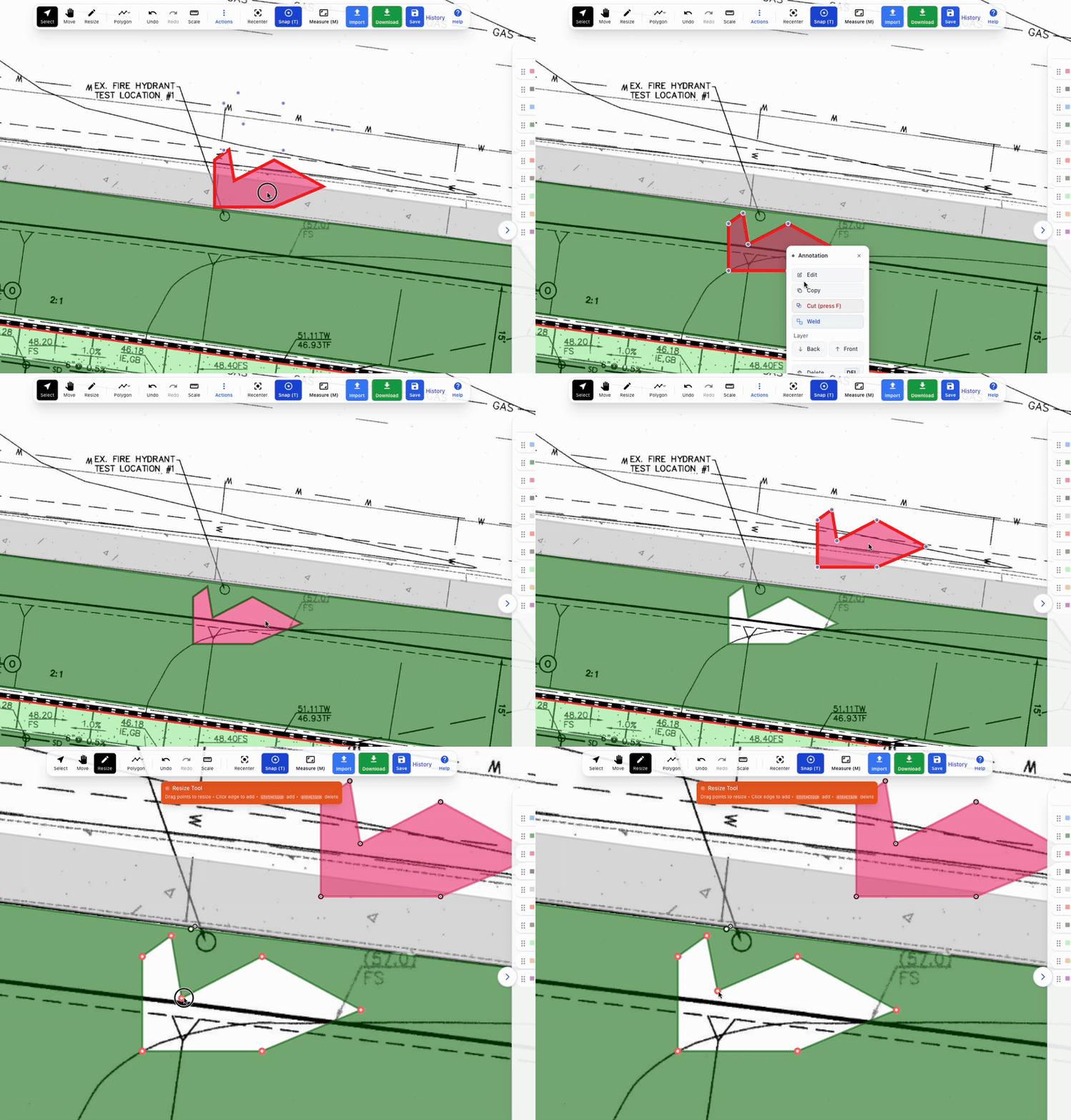
Faster Polygon & Line Drawing
Our optimized caching system reduces latency and eliminates lag, even during complex and detailed takeoffs.
Improved Responsiveness Across Devices
Whether you’re working on a desktop or tablet, the interface feels fluid and uninterrupted.
Dynamic Resolution Scaling
As you zoom in, the system automatically increases resolution—no manual settings required. This ensures:
Stable performance
Crisp clarity at any zoom level
Smooth navigation across massive plan sets
Essential for high-accuracy work on large civil drawings.
Seamless Handling of Massive, Multi-Sheet Plans
Large stitched PDFs and multi-sheet plan sets often overwhelm traditional tools. Civiltakeoff.ai intelligently adapts to the document’s size and complexity, keeping performance high—even with heavyweight files.
Total Control With New Page Management Tools
Complex projects demand intuitive page tools. Our new management features help you stay organized and efficient.
Instant Duplicate Page Functionality
One of our most requested features:
Create perfect page copies instantly from the navigation sidebar
Copies everything — page image, annotations, scale data, page settings
Ideal for repeated layouts or multi-phase takeoffs
Saves significant setup time
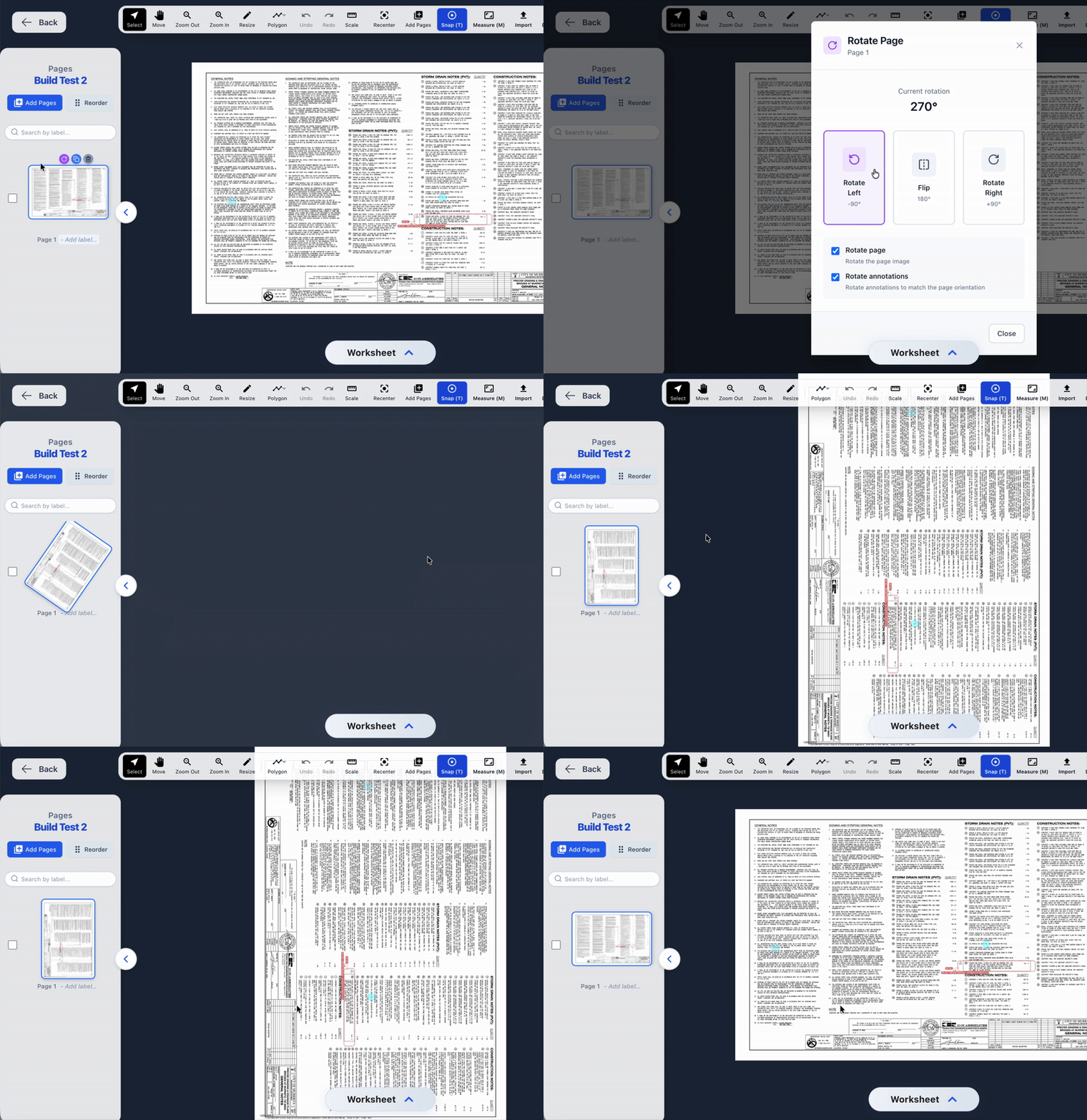
Flexible, Precision Page Rotation
No more working with sideways or upside-down sheets.
Rotate pages individually or all at once
Choose 0°, 90°, 180°, or 270°
Apply rotation to only the page, only annotations, or both
Rotations persist for the entire project
Thumbnails display orientation indicators for at-a-glance clarity
Workflow Enhancements for Maximum Efficiency
Beyond speed and page control, we added quality-of-life updates to help you work cleaner and faster.
Resizable Sidebars
Adjust category classes and page navigation panels to your preferred layout.
True Fullscreen Mode
Maximize your drawing space with an immersive, distraction-free fullscreen experience.
Smart Auto Trace
Enhanced direction detection removes accidental back-tracing and ensures clean, accurate polygon outlines every time.
Built for Precision. Built for Speed. Built for You.
These upgrades—spanning drawing performance, large-file handling, and page management—are designed to give Civiltakeoff.ai users a competitive edge in accuracy, speed, and project delivery.
Ready to Work Faster?
Log in to Civiltakeoff.ai and experience the difference today.
Share this article
Help others discover this content