Smooth Curves and Faster Workflows: Two New Features Live Now
Say goodbye to blocky corners and slow edits. Our latest update introduces arcs for perfect curves and multi-select polygons for faster editing, moving, and copying.
New Feature Release: Arcs and Multi Select Polygons
We are excited to share two new features designed to make your takeoffs smoother, faster, and easier to manage.
1. Draw Arcs with the Polygon and Line Tool
Until now, drawing curves meant piecing together short straight lines. It worked, but it wasn’t ideal for rounded curbs or smooth transitions.
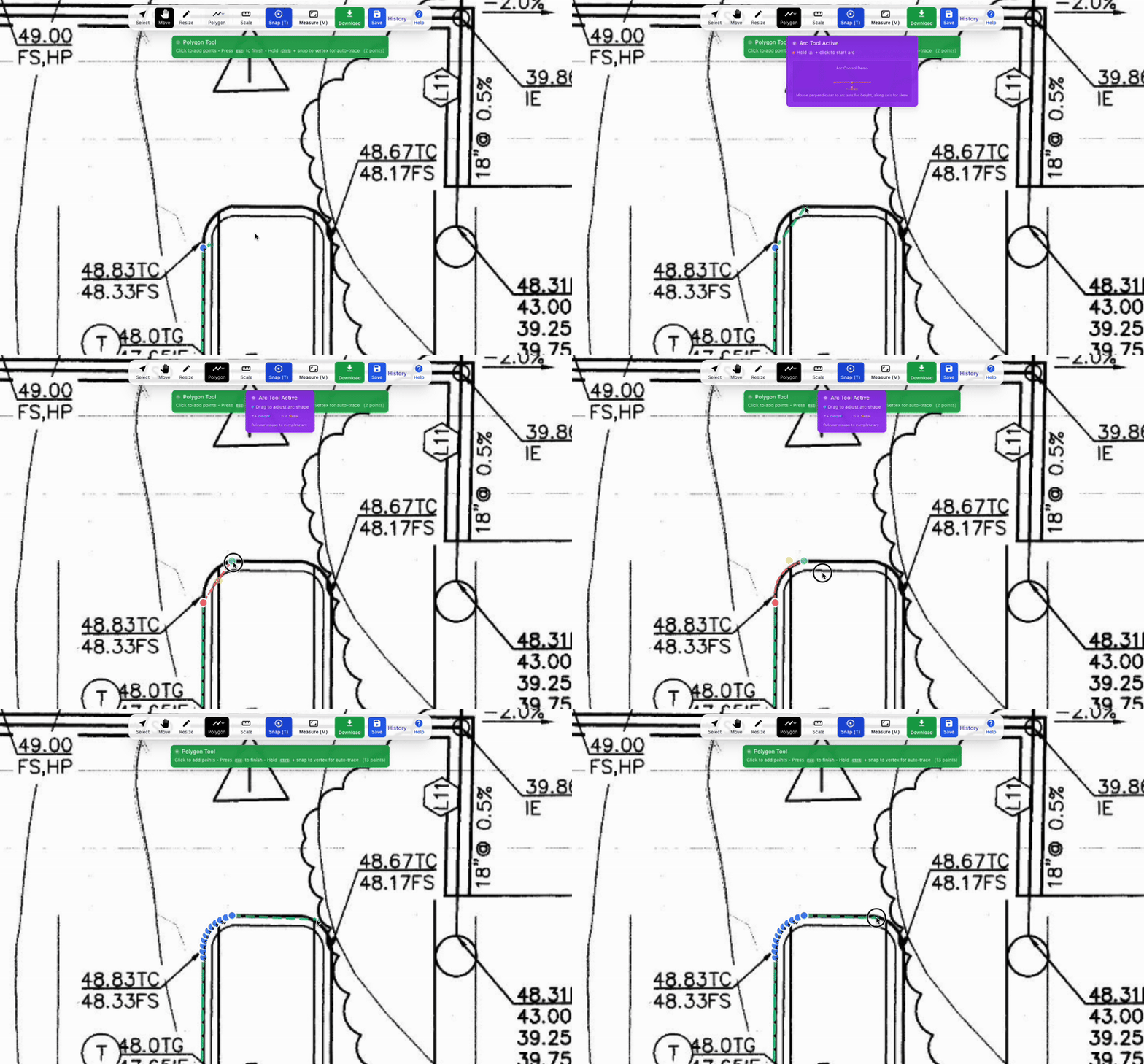
With the new Arc Tool, you can draw smooth curves directly while using the polygon or line tool.
Here’s how:
Start drawing your line or polygon
Before placing the endpoint, press and hold A on your keyboard
Move your mouse to set the height and skew of the arc
Perfect for curbs, medians, and rounded corners, arcs give your drawings cleaner, more accurate results.
2. Multi Select Polygons
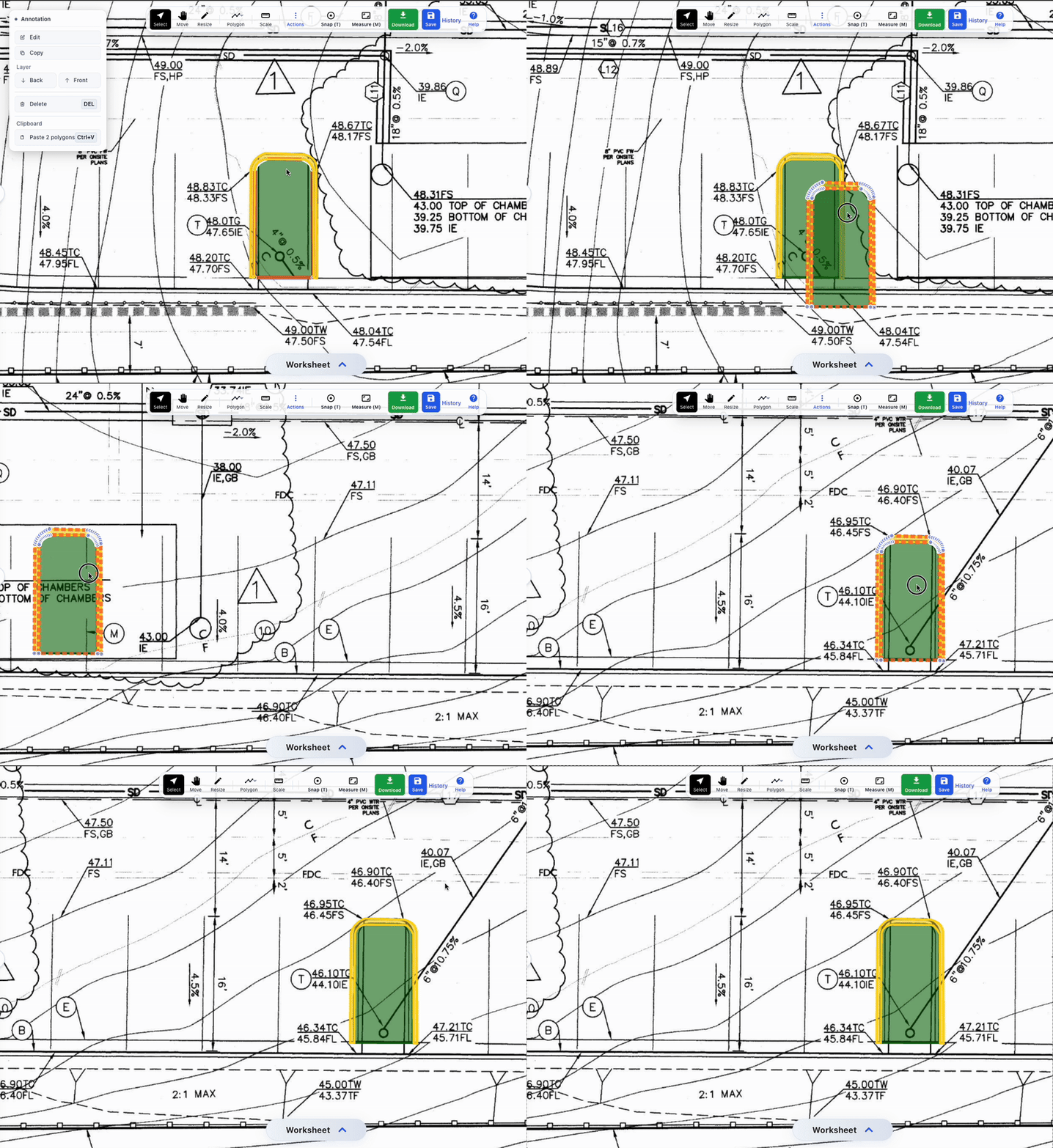
Working with multiple shapes just got easier. You can now select several polygons at once to:
Move them together
Edit their classes
Delete them in bulk
Copy and paste repeatable shapes
If you are working with repeated areas, you only need to draw it once, then copy and paste as needed.
Why It Matters
Arcs bring precision and clarity to your drawings. Multi select saves you time by simplifying edits and duplication. Together, these updates make your takeoff workflow smoother and more efficient.
Try Them Today
Both features are live now. Log in, test them out, and let us know what you think.
Share this article
Help others discover this content