Feature Friday: Faster Takeoffs and Powerful New Tools for Estimators
Discover the latest CivilTakeoff.ai updates including faster project load times, smarter editing tools, legends on PDF exports, and new drawing features designed for contractors and estimators.
At CivilTakeoff.ai, we release improvements every week that help contractors and estimators save time and increase accuracy. This Feature Friday is packed with updates that make your takeoff process smoother and faster.
What is new in CivilTakeoff.ai this week
Legends on PDF exports
Now when you export your takeoff as a PDF, the legend with colors and quantities is included. This makes it easier to share accurate estimates with your team and clients.
Cloning classes in worksheets
You can now duplicate classes in worksheets and copy quantities, saving time when working with repeated elements in a project.
Rotate pages during project setup
If a plan page is uploaded sideways or rotated, you can adjust it before you begin your takeoff, ensuring accuracy from the start.
Faster project performance
Opening a project with 15 or more pages used to take around 25 seconds. With the latest update, that same project now opens in about 10 seconds. Thanks to caching, once you have opened a project it will reload in under 5 seconds.
Multi-select polygons
This new feature allows you to select multiple shapes at once to edit, move, copy, or paste. It is especially useful when repeating shapes across large plans.
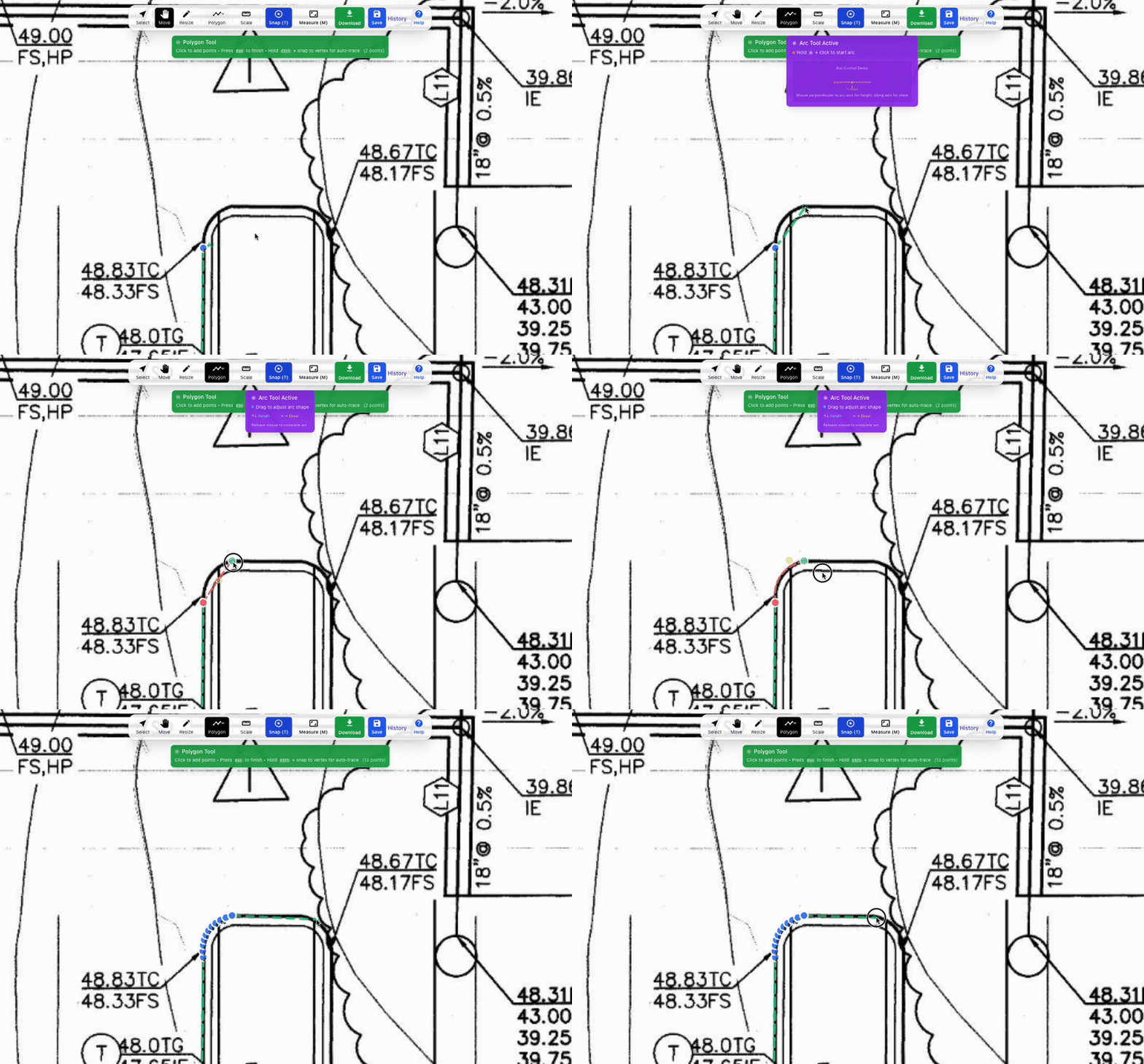
Arc tool added to Polygon and Line tool
You can now draw precise curves around shapes quickly. This is perfect for roads, curbs, and other civil features that require rounded edges.
Collapsible page navigation
For a larger and cleaner workspace, you can collapse the page navigation panel while working on your takeoff.
Frequently asked questions about these updates
Why does including a legend in a PDF export matter?
A legend makes it clear what each color and symbol represents in your takeoff. This is critical for team collaboration and client presentations.
How much faster are projects now?
Projects that once took 25 seconds to open now load in 10 seconds. If you have opened a project before, caching allows it to reload in under 5 seconds.
What is the benefit of multi selecting polygons?
Multi select makes editing more efficient. Instead of editing one shape at a time, you can adjust multiple shapes at once and copy them across your plans.
Who benefits from the new arc tool?
Estimators working with roads, curbs, and curved boundaries will find the arc tool especially useful for creating precise and smooth takeoffs.
How do I collapse the page navigation?
In the takeoff workspace, click the collapse option to hide the page navigation and gain more space to view and edit your plans.
Final thoughts
These updates are designed to cut down on repetitive work, improve accuracy, and make the takeoff process faster for contractors and estimators. CivilTakeoff.ai is focused on building tools that the construction industry actually enjoys using every day.
Share this article
Help others discover this content